
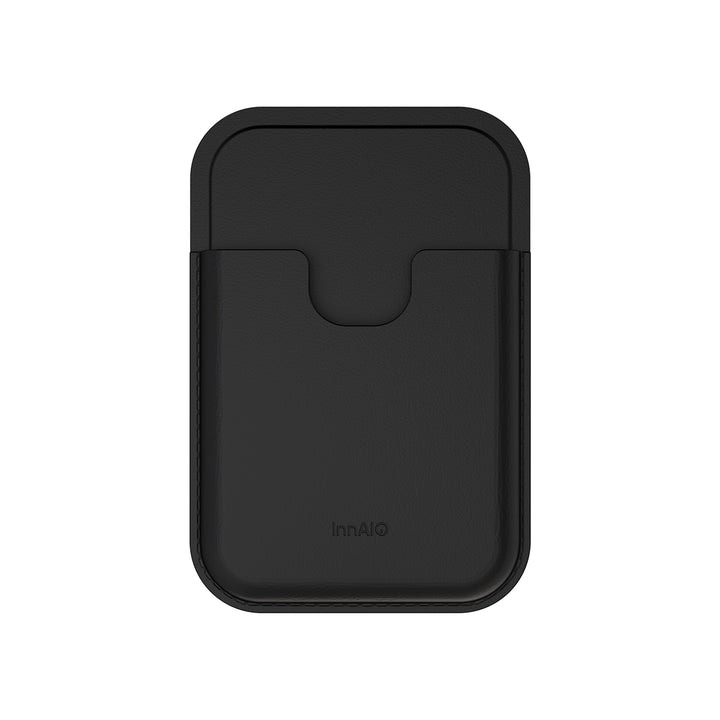
Anyone who has ever transcribed a meeting by hand knows the same painful moment: you look down at your notes and realize an entire five-minute exchange is missing. Journalists, students, therapists, product managers, and researchers all live with the anxiety of losing the sentence that mattered. That anxiety is exactly why AI voice recorders have moved from niche gadget to daily-carry tool. But the market has exploded, and every product page promises “crystal clear audio” and “smart transcription.” The real question is far more practical. Which device actually captures every word when three colleagues talk over each other, when the speaker turns away from the microphone, when the coffee shop next door starts grinding beans? This guide breaks the decision down into the factors that separate a recorder you trust from one you tolerate, and helps you match a device to how you actually work rather than the specs on a box.
What “Capturing Every Word” Really Means
Recording audio is easy. Producing a searchable, quotable, timestamped record of a conversation is not. When people search for the best ai voice recorder, they are usually chasing three outcomes at once: clean audio that survives a noisy room, transcription accuracy that does not force line-by-line correction, and a workflow that gets the words into their document, email, or notes app without friction. A device can be strong in one and weak in another, and that mismatch is where buyers get burned. A recorder with pristine microphones is still frustrating if you have to email files to yourself and paste them into a separate transcription service. A recorder with excellent auto-transcription is useless if the raw audio is muddy and the model has to guess at every third word.
Audio Quality vs. Transcription Quality
These are related but not identical. Audio quality is about the microphone array, the noise-cancellation stack, and the format the file is stored in. Transcription quality is about the language model interpreting that audio and the metadata it can preserve, such as speaker labels and time stamps. Buying a recorder without checking both is like buying a camera with a fantastic lens attached to a broken sensor. Look for devices that show sample transcripts, not just decibel specs, and ideally sample transcripts from noisy real-world environments rather than a silent studio.
The Scenarios That Break Cheap Recorders
Most recorders perform well in the easy case: one speaker, close range, quiet room. The devices worth paying for are the ones that stay usable when the situation degrades. Three scenarios reliably expose weak hardware and lazy software. Understanding how a candidate device handles each of them tells you more than any spec sheet.
Multiple Overlapping Speakers
Meetings, panel discussions, and family interviews rarely wait their turn. A recorder that treats every sound as one monolithic stream produces a wall-of-text transcript that no one wants to read. Look for speaker diarization, which is the ability to tag who said what, and check whether the device requires you to enroll voices in advance or infers speakers on the fly. On-the-fly speaker separation is significantly more useful because you almost never have time to train a device before a live conversation starts.
Distance and Ambient Noise
Placing a recorder in the center of a conference table means the person at the far end is two meters away, competing with an HVAC unit and someone’s mechanical keyboard. Directional microphone arrays and adaptive noise suppression matter here. So does raw microphone count, since more microphones give the signal processor more information to work with when isolating a voice from a hum.
Accented and Multilingual Conversations
Global teams and international interviews expose a common weakness. Many transcription models are trained heavily on North American English and stumble on accents from South Asia, West Africa, or Eastern Europe. If your work involves mixed-accent conversations, ask for accuracy benchmarks against real accented audio, not just word-error-rate on studio-clean American speakers.
Workflow: Where Time Actually Gets Saved or Lost
The point of buying a recorder is to spend less time on the recording and more time on the thinking. Yet many buyers focus on the device and ignore what happens after the “stop” button. A great recording is worthless if it takes twenty minutes of fiddling to get a usable transcript into your notes app. Evaluate the full loop, not the hardware in isolation.
From Recording to Searchable Text
The fastest devices auto-upload as soon as they reconnect to Wi-Fi, transcribe in the background, and drop the finished text into a companion app that supports search across every recording you have ever made. That searchable archive is where the compounding value lives. Six months later, when you want to remember what a client said about pricing in your first call, you type the word and jump straight to the timestamp.
Exports, Integrations, and Privacy
Check where your audio and transcripts live. Some products keep everything on-device or in accounts you control; others quietly route audio through third-party services. For anyone recording client conversations, therapy sessions, or internal strategy meetings, the privacy posture of the vendor is not a footnote. It is a decision-critical feature. Also check export options: plain text, timestamped SRT, and direct push to tools like Notion or Google Docs each remove different amounts of friction depending on where your final document lives.
Battery, Form Factor, and the Fear of Missing a Moment
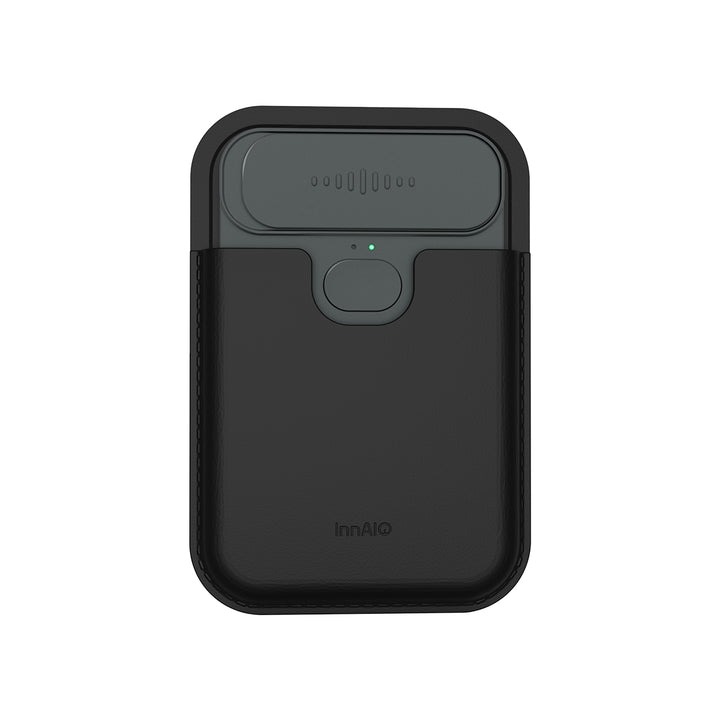
The best recorder is the one you actually have with you. A device that needs charging every three hours will get left behind before an important call. A clip-on or pocket-sized form factor beats a bulky handheld for spontaneous conversations, while dedicated tabletop recorders make more sense for scheduled meetings. Battery life claims should be evaluated in the “always-on with live transcription” mode you will actually use, not the “standby with screen off” number quoted on the box. Storage matters too, especially for anyone who records long-form interviews. Ten hours of high-bitrate audio consumes more space than most buyers expect.
Matching a Device to How You Actually Work
The buyer who records two structured meetings a week has different needs from the journalist who does three-hour on-location interviews or the graduate student capturing back-to-back lectures. Before comparing products, write down your three most common recording scenarios, the length of each, the environment, and where the transcript needs to end up. That short document is a better filter than any review site. Manufacturers like INNAIO design their AI recorders around specific real-world use patterns, so matching your pattern to the device’s design intent is a shortcut to satisfaction. A recorder built for meeting rooms will underperform in a lecture hall, and a recorder built for pocket-carry journalism will feel awkward on a conference table.
Choosing a Recorder You Will Actually Trust
The question in the title has a straightforward answer, even if the shopping process is not. A recorder captures every word when its hardware survives real-world noise, its transcription model handles overlapping and accented speech, and its workflow gets the text into your hands without extra steps. Prioritize devices that publish real transcript samples, explain their privacy posture, and design for the specific scenarios you face. Skip the ones that lean on marketing adjectives and vague accuracy claims. Once you buy the right recorder, the difference is not just cleaner notes. It is the confidence to stop taking notes at all and stay fully present in the conversation, knowing the moment will still be there in searchable text when you need it.
